
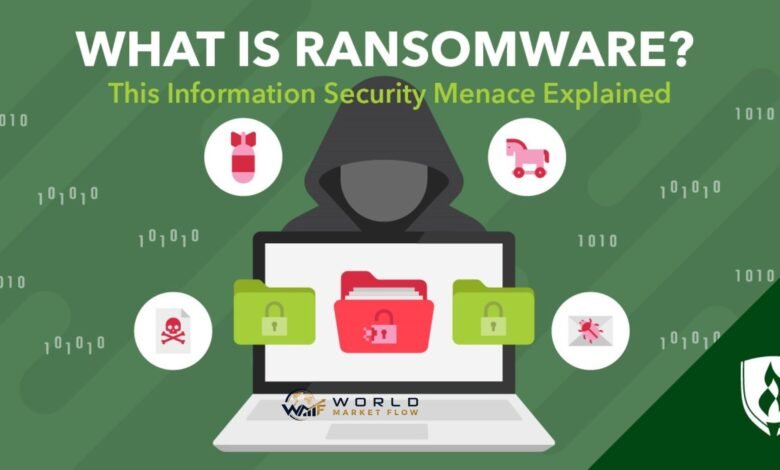
A computer suddenly refuses to open important files. Documents have unfamiliar extensions, business systems stop responding, and a message appears demanding money to restore access. This is a typical ransomware scenario.
So, what is ransomware? Ransomware is malicious software designed to deny a person or organisation access to files, data, or computer systems, usually by encrypting them. Attackers then demand payment in exchange for restoring access. Modern attacks may also involve stealing sensitive information and threatening to publish it if the victim refuses to pay.


Ransomware can affect individual computers, corporate networks, public institutions, and critical services. Understanding how an attack develops is therefore as important as knowing what the malware itself does.
What Is Ransomware and How Does It Work?
Ransomware belongs to the broader category of malicious software known as malware. Its defining purpose is extortion: attackers interfere with access to data or systems and demand something—usually money—from the victim.
The U.S. Cybersecurity and Infrastructure Security Agency (CISA) describes ransomware as malicious software designed to deny access to computer systems or data. Systems or information may be encrypted, followed by a demand for payment to decrypt them. CISA also warns that paying does not guarantee that access will actually be restored.
A ransomware incident commonly develops through several stages. Attackers first need a way into the target environment. That access may come through malicious emails, compromised credentials, vulnerable software, exposed remote-access services, or another compromised system.
Once inside, an attacker may attempt to increase privileges, discover valuable systems, move across the network, and identify backups. In more sophisticated attacks, criminals may quietly steal confidential information before deploying the ransomware itself.
The final stage is disruption. Files may be encrypted, devices locked, backups damaged, or systems made unavailable. A ransom note then tells the victim how to contact the attackers and may threaten additional consequences for refusing to pay.
The Main Types of Ransomware
Not every ransomware attack follows exactly the same model. Understanding the major forms helps explain why some incidents involve inaccessible files while others focus heavily on stolen information.
| Type | What It Does | Main Risk |
|---|---|---|
| Crypto ransomware | Encrypts files so they cannot normally be opened | Loss of access to important data |
| Locker ransomware | Locks users out of a device or system | Operational disruption |
| Double-extortion ransomware | Encrypts data and threatens to leak stolen information | Data exposure plus disruption |
| Destructive ransomware | Damages, deletes, or makes information difficult to recover | Severe or permanent data loss |
| Ransomware-as-a-Service | Provides ransomware infrastructure to other criminals | Makes attacks accessible to more threat actors |
The double-extortion model is particularly significant because having a backup does not solve every part of the incident. Backups can help restore encrypted information, but they cannot undo the theft of confidential data.
The UK’s National Cyber Security Centre (NCSC) specifically notes that organisations must consider the extortion risk created by stolen information in addition to protecting themselves against destructive ransomware.
How Does Ransomware Get Into a Computer?
People asking what is ransomware often assume infection begins with someone downloading an obviously suspicious program. In practice, entry methods can be considerably less obvious.
Phishing and malicious email attachments remain important threats. A message may imitate a trusted organisation, colleague, supplier, or service and encourage the recipient to open a dangerous attachment or follow a fraudulent link.
Attackers can also exploit security weaknesses in software that has not been patched. Internet-facing services are particularly attractive because a vulnerability may provide access without requiring an employee to open anything.
Compromised usernames and passwords create another route. Credentials obtained through phishing, previous breaches, password reuse, or other criminal activity may allow attackers to access remote systems while appearing, at least initially, to be legitimate users.
The NCSC warns that ransomware is increasingly deployed after attackers obtain remote access through exposed services such as Remote Desktop Protocol or unpatched remote-access devices.
This distinction matters. Ransomware is sometimes the final visible event in a longer intrusion rather than the beginning of the attack.
What Happens During a Ransomware Attack?
A basic infection may encrypt files relatively quickly. A targeted organisational attack can be much more deliberate.
Attackers may spend time investigating the network before triggering the ransomware. They can search for valuable information, administrative accounts, connected servers, security controls, and backup infrastructure. If they gain sufficiently powerful privileges, they may spread across multiple systems rather than compromising only the original device.
Some groups also exfiltrate data before encryption. This gives them another form of leverage: even if the organisation restores its systems from backups, attackers can threaten to release confidential information.
After encryption or disruption, victims usually encounter a ransom demand containing instructions for contacting the criminals and potentially making payment.
💡 Pro Tip:
Treat unexpected account activity as seriously as suspicious files. If an unfamiliar login, unexplained administrator account, unusual remote-access session, or unexpected security alert appears, investigating it early may help detect an intrusion before ransomware is deployed across the network.
Why Ransomware Is So Dangerous
The answer to what is ransomware extends beyond “malware that encrypts files.” The real danger lies in the combination of technical disruption, data exposure, operational pressure, and financial consequences.
A successful attack can prevent employees from accessing documents or business applications. Organisations may lose access to databases, shared drives, communication systems, or other resources needed for normal operations.
Sensitive information may also be exposed if attackers copy it before encryption. Depending on the affected data and jurisdiction, an incident can create legal, regulatory, contractual, and notification obligations.
Recovery itself can be difficult. Systems may need to be isolated, investigated, rebuilt, tested, and carefully restored. Simply decrypting files, when decryption is even possible, does not prove that an attacker has been removed from the environment.
How to Protect Against Ransomware
No single security product can eliminate ransomware risk. Effective protection uses several layers so that the failure of one control does not automatically result in a major incident.
Maintain Protected Backups
Regular backups are one of the most valuable recovery measures. However, a backup that attackers can reach and destroy offers limited protection.
The NCSC recommends maintaining regular backups of important information, knowing how to restore them, and testing restoration. It also recommends offline backups kept separately from the main network or an appropriately designed cloud backup service.
The organisation’s ransomware-resistant backup principles further recommend isolation, controlled access, version history, strong authentication, and protection against malicious deletion or alteration.
Keep Software Updated
Security patches address known vulnerabilities that attackers may exploit. Operating systems, applications, browsers, networking equipment, remote-access tools, backup software, and security products should all be included in a structured update process.
Unsupported software deserves particular attention because security fixes may no longer be available.
Use Multi-Factor Authentication
A stolen password should not automatically give an attacker full access to an important account. Multi-factor authentication (MFA) adds another verification requirement and can reduce the usefulness of compromised credentials.
MFA is especially valuable for administrator accounts, remote-access services, cloud platforms, email accounts, and backup management.
Restrict Privileges
Employees and applications should receive only the access they genuinely require. Limiting administrative privileges can reduce an attacker’s ability to disable security controls, reach sensitive systems, or move laterally through a network.
Separate administrator credentials from ordinary day-to-day accounts wherever practical.
Filter Dangerous Content
Email filtering, malicious website blocking, content inspection, and other security controls can prevent some threats from reaching users. The NCSC identifies measures such as mail filtering, blocking known malicious websites, and inspecting content as useful defences against malware delivery.
Employee awareness still matters. Users should know how to recognise suspicious attachments, unexpected login pages, unusual requests, and social-engineering attempts.
What Should You Do If Ransomware Attacks?
If ransomware is suspected, speed matters, but uncontrolled actions can destroy evidence or allow the infection to spread further.
Disconnect affected devices from networks where appropriate and follow the organisation’s incident-response procedures. Security or IT personnel should determine the scope of the compromise, preserve relevant evidence, identify affected accounts and systems, and investigate how access was obtained.
Do not immediately reconnect restored systems to an environment that may still be compromised.
Backups also need careful handling during recovery. The NCSC recommends confirming that backups are clean before restoration and restoring clean data only onto clean systems and networks.
For businesses, a ransomware incident may also require involvement from legal advisers, cyber insurers, regulators, law enforcement, communications teams, or specialist incident-response providers, depending on the circumstances and jurisdiction.
Should You Pay a Ransom?
Payment can appear attractive when critical systems are unavailable, but it does not create certainty.
Attackers may provide a defective decryptor, demand additional money, disappear after payment, or leave stolen data in their possession. Even successful decryption does not establish that compromised credentials, backdoors, or other malicious access have been removed.
CISA explicitly warns that paying a ransom does not guarantee that victims will regain access to their systems or data.
Organisations should therefore involve appropriate cybersecurity, legal, law-enforcement, insurance, and regulatory professionals when dealing with an extortion incident rather than treating payment as a simple technical recovery decision.
📌 Key Takeaway:
Ransomware is not merely a file-encryption problem. A serious attack may involve compromised accounts, stolen information, damaged backups, network-wide disruption, and continuing unauthorised access. Prevention therefore requires layered security, while recovery requires clean, tested backups and a structured incident-response process.
Frequently Asked Questions
Can ransomware spread from one computer to another?
Yes. Depending on the malware and the attacker’s level of network access, an incident can extend beyond the initially compromised device. Attackers may use stolen credentials, administrative privileges, vulnerable services, shared resources, or other techniques to reach additional systems. Network segmentation and restricted privileges can help limit the potential impact.
Can antivirus software stop ransomware?
Security software can detect and block many malicious files and behaviours, but it should not be the only defence. Ransomware protection should also include timely security updates, MFA, restricted administrative privileges, secure remote access, email protection, network monitoring, and protected backups. Layered controls provide better resilience if one security mechanism fails.
Does ransomware only affect businesses?
No. Individuals, businesses, public bodies, charities, educational institutions, healthcare organisations, and other entities can all be targeted. The consequences differ according to the victim: an individual might lose personal photographs or documents, while an organisation could face wider operational disruption and exposure of sensitive information.
Can ransomware infect cloud storage?
Cloud-based information can be affected indirectly or directly depending on the service and compromise. For example, encrypted files may synchronise to connected cloud storage, while compromised accounts may allow attackers to manipulate stored information. Version history, independent backups, strong access controls, MFA, and ransomware-resistant backup configurations can improve resilience.
Can ransomware be removed without paying?
Sometimes, but removing the malware and recovering the data are separate problems. An infected system may be cleaned or rebuilt while encrypted information remains inaccessible. Clean, protected backups are often the strongest recovery option. The NCSC describes up-to-date backups as the most effective way to recover from a ransomware attack.
Final Thoughts
Knowing what is ransomware means understanding the wider attack behind the ransom note. Encryption may be the most visible symptom, but attackers can also steal information, compromise credentials, damage backups, and establish access across a network before the victim notices anything unusual.
Strong authentication, timely patching, restricted privileges, security monitoring, employee awareness, and properly isolated backups significantly strengthen resilience. Backups should also be tested rather than simply assumed to work.
The most useful answer to what is ransomware is therefore practical: it is a form of cyber extortion that can turn compromised access into major operational and data-security problems. Preparing before an incident is far more reliable than depending on an attacker’s promise to restore what they have taken or encrypted.







One Comment